 Business Templates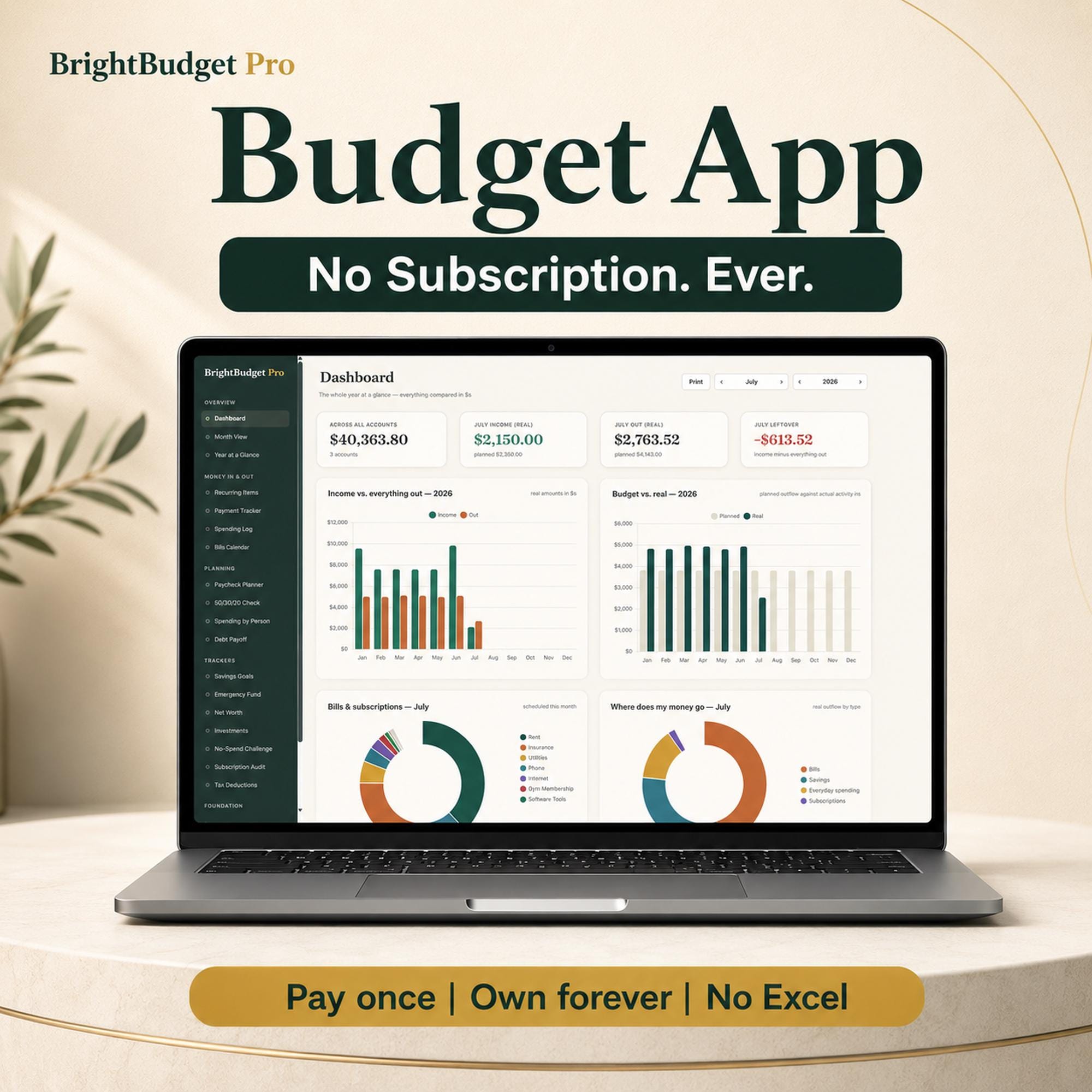
Bright Art ConceptsDigital download
Budget & Finance
Budget App, Paycheck Tracker, Debt Payoff Planner (Digital Download)
$14.99 · In stockProduct details updated September 12, 2026. Taxes, if applicable, are calculated at Etsy checkout.
A complete budget app with no subscription — paycheck budgeting, bill tracker, interactive bill calendar, and a real debt payoff planner. No Excel. No bank login. Pay once, own it forever.
Finance toolDigital download
Designed for people who want practical financial tracking without relying on a recurring subscription.
View on EtsySee current price, files, and availabilityCheckout and order support are completed on Etsy.
Product details
A complete budget app with no subscription — paycheck budgeting, bill tracker, interactive bill calendar, and a real debt payoff planner. No Excel. No bank login. Pay once, own it forever.
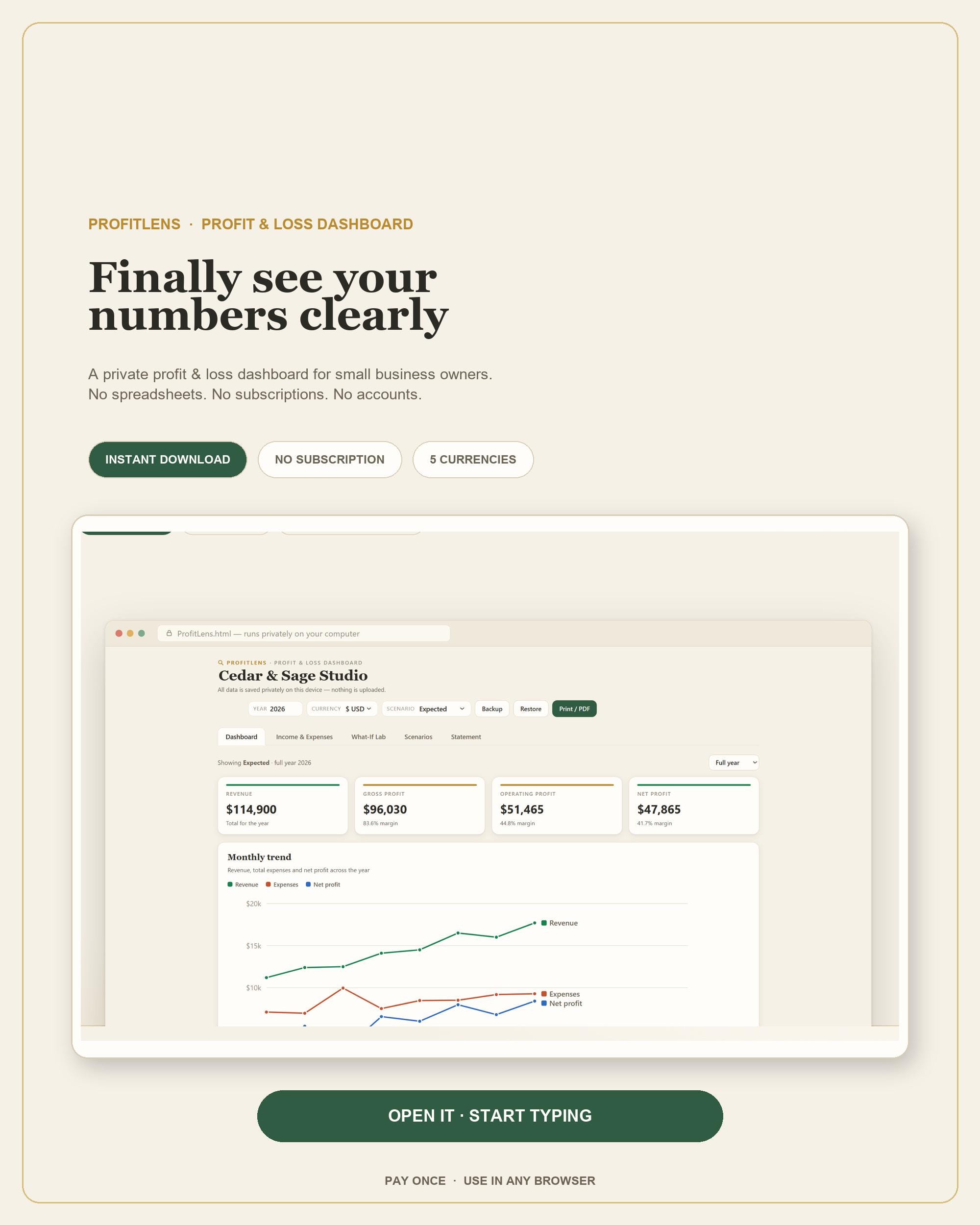
This is not a spreadsheet. It's a full budgeting system that runs in the browser you already have — Chrome, Edge, Firefox, or Safari — completely offline. Nothing to install, no account to create, no monthly fee. Designed for desktop and laptop browsers.
★ WHY IT'S DIFFERENT ★
🛟 It cannot be broken. No formulas to delete, no ranges to sort into oblivion. Every number is computed fresh from your data, every time. The #1 way budget spreadsheets die simply can't happen here.
🔁 Enter each bill once — it exists forever. Your rent, your paycheck, your subscriptions: stored once, computed for any month of any year, instantly. Next January is a click, not a new file to copy.
🔒 Radically private — and that's why there's no subscription. BrightBudget never asks for your bank login. There's no cloud, no server, no account: your money data never leaves your computer. That means you log purchases yourself (most people find a couple of minutes a day keeps everything current), and it's exactly why you pay once instead of every year — there's no server to fund.
★ WHAT YOU GET ★
One download, 20+ integrated tools — all working from the same data:
Dashboard — live charts: income vs. spending, budget vs. real, savings curve Month View — any month, any year, one selector Payment Tracker — nothing counts until you mark it paid; balances update instantly Interactive Bill Calendar — every due date on a real calendar; click to mark paid Paycheck Planner — auto pay-periods from your real schedule (weekly, bi-weekly, monthly); see what each check must cover Debt Payoff Planner — real amortization: your debt-free date, total interest, and exactly what an extra $50/month saves in dollars and months; avalanche ordering built in Savings Goals — progress rings and a "$X/month keeps you on track" pace line Emergency Fund Calculator — suggests your real essentials number from your own spending Net Worth Tracker — snapshots prefilled from your live balances 50/30/20 Money Balance Check — needs/wants/savings vs. targets, reclassify with one click Subscription Audit — total burn rate; cancel removes future charges everywhere, keeps history Spending by Person · Investment Projections · No-Spend Challenge · Tax Deduction Log CSV export for everything — spending, payments, tax log; your data is never locked in Print-ready monthly and annual summaries Guided setup wizard + Demo Mode — explore a fully populated example budget in one click, perfect if you're building your first budget Autosave + one-click backup — onboarding walks you to your first backup file
★ HOW IT WORKS ★
Purchase and download your file (instant) Open it in your browser — that's it, you're in Run the setup wizard or explore Demo Mode first
No Excel license. No Google account. No internet required after download.
★ GOOD TO KNOW (please read before purchasing) ★
NO PHYSICAL PRODUCT WILL BE SHIPPED. This is an instant digital download. Desktop & laptop browsers. It will open on a phone, but mobile and desktop don't share data — plan to use it on your computer. No bank sync, by design. Your bank login belongs to your bank. You enter transactions yourself; that's the trade for total privacy and a one-time price. Your data lives on your device. Autosave is always on, and a one-click backup file moves your budget between computers or protects it if browser data is cleared — keep one, the same way you'd keep a copy of a spreadsheet. Works on Windows, Mac, Linux, and Chromebooks — anything with a modern browser.
★ FAQ ★
Q: Is this a subscription? No. Pay once, use it forever. There's no account and no renewal — ever.
Q: Do I need Excel or Google Sheets? No. It runs entirely in your web browser. Nothing else to buy or install.
Q: How do I move my budget to another computer? One click creates a backup file; import it on the new machine. Your budget is a file you own — take it anywhere.
Q: Can I lose my data? Your budget lives in your browser with autosave always on. Like any file you own, keep a backup — export is one click, and onboarding prompts your first one. (Privacy cleaners that "clear site data" will remove browser storage; a backup file makes that a non-event.)
Q: Does it work on my phone? It's designed for desktop and laptop browsers. It opens on a phone, but phone and computer won't share data.
Q: Can I edit the formulas like a spreadsheet? There are no formulas — that's what makes it unbreakable. Want to run your own analysis? Everything exports to CSV, so your data is never locked in.
Q: Why no bank linking? Privacy. No server ever sees your finances — which is also why there's no subscription fee.
Q: I'm new to budgeting — is this too advanced? The guided setup wizard walks you through everything, and Demo Mode lets you explore a realistic example budget before entering a single number.
Questions before you buy? Send a message — happy to help.